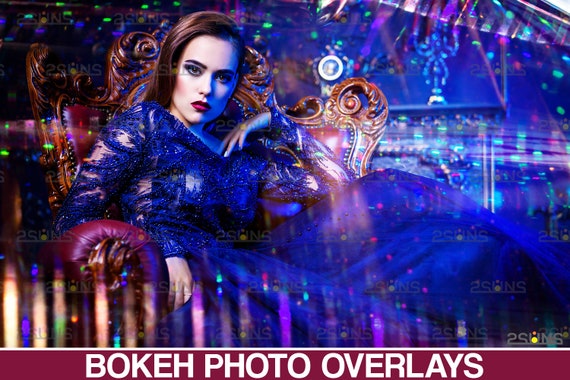
Neon overlays, Bokeh overlay, Confetti overlay, Photoshop overlay, Glitter overlay, Holographic photo overlays, wedding overlay
 By 2suns
Product Info
Neon overlays, Bokeh overlay, Confetti overlay, Photoshop overlay, Glitter overlay, Holographic photo overlays, wedding overlay
📢VIDEO TUTORIAL! https://youtu.be/7Xm0hlz8oic
40 NEON BOKEH OVERLAYS textures backgrounds
You will need software that supports the use of JPG, PNG files and to open Zip files.
You will need basic knowledge of Adobe Photoshop and know how to work with the layers.
Details: 40 NEON BOKEH OVERLAYS (6000x4000px - 300dpi - JPEG)
Our gorgeous photoshop overlay package will create you a cool, creative background and you will create exciting effects. Sparkler overlays in JPG format and can be used in compositions, projects. This bokeh overlays pack is compatible with all popular graphics programs. Just select the appropriate bokeh and drag it using Photoshop onto your image - it's easy! Ideal for any projects, studio shoots, especially for Christmas, Newborns and Valentine's Day, Wedding.
The textures in this collection can not only decorate, but also provide lightness, brilliance and freshness for any of your images. Add glitter to your images with ease! Add some magical bokeh (little balls of light!) To your photos with one click. Layer multiple bokeh overlays on one image for amazing results. Our bokeh style textures for wedding art are designed to create an interplay of light and dark to highlight the most impressive moments of one of the most important days in life. You will create the most creative work!
Compatible with any software that allows you to work with layers ( Photoshop, Photoshop Elements, Paint Shop Pro, PicMonkey's Photo Editor, etc.)
Note to the Lightroom users - please, make sure you have a plugin that allows you to work with layers (https://www.on1.com/)
FILE DELIVERY:
This product is being offered as an INSTANT DOWNLOAD. After payment, your product download links will be immediately sent to you by Etsy. If the files are too big to be downloaded on Etsy, you'll get a READ-ME document file which contains direct links to the files. Just copy and past the link(s) provided inside that file and your product will directly start downloading itself into your computer.
You will need software that supports the use of JPG, PNG files and to open Zip files.
You will need basic knowledge of Adobe Photoshop and know how to work with the layers.
photo (С) AdobeStock