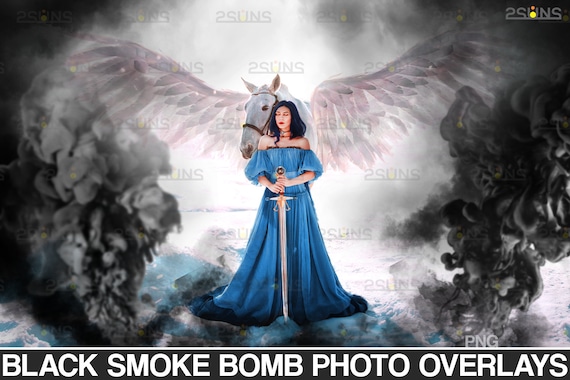
Black smoke overlay, Fog overlay, Photoshop overlay, Halloween smoke bomb overlay, Magic fog photo overlay, Smoke background
 By 2suns
Product Info
Black smoke overlay & Fog overlay, Photoshop overlay: Halloween smoke bomb overlay, Magic fog photo overlay, Smoke background
DETAILS: 44 GENDER REVEAL SMOKE BOMB OVERLAYS (6000x4000px - 300dpi - PNG)
Magic haze
We are pleased to offer you a colorful photoshop overlay with smoke bombs and also with a rotating shaft!
You are waiting for 44 elements of realistic black smoke overlay in PNG format, compatible with Photoshop, GIMP, Photoshop Elements and other graphics programs.
If you want to add mysticism and magic to your work of art, this is what you were looking for, or to make a smoky portrait, or an inscription in the fog, create your own cool and unique expressive effect !!!
With these motifs, you can easily make black smoke screens. You will get a smoke photo overlay that includes black-colored streaks of fog and a swirling vortex of steam.
You will create real smoky effects for your portraits, wedding photos, Halloween. It's very cool when smoke and steam fly through your photos! Working with our photo overlays is a pleasure.
Choose a suitable element and customize by size. Here you go! Add some smoke, create fog! And now your work of art has become as atmospheric as possible!
Compatible with any software that allows you to work with layers ( Photoshop, Photoshop Elements, Paint Shop Pro, PicMonkey's Photo Editor, etc.)
Note to the Lightroom users - please, make sure you have a plugin that allows you to work with layers (https://www.on1.com/)
You will need software that supports the use of JPG, PNG files and to open Zip files.
You will need basic knowledge of Adobe Photoshop and know how to work with the layers.
FILE DELIVERY:
This product is being offered as an INSTANT DOWNLOAD. After payment, your product download links will be immediately sent to you by Etsy. If the files are too big to be downloaded on Etsy, you'll get a READ-ME document file which contains direct links to the files. Just copy and past the link(s) provided inside that file and your product will directly start downloading itself into your computer.
photo (С) AdobeStock