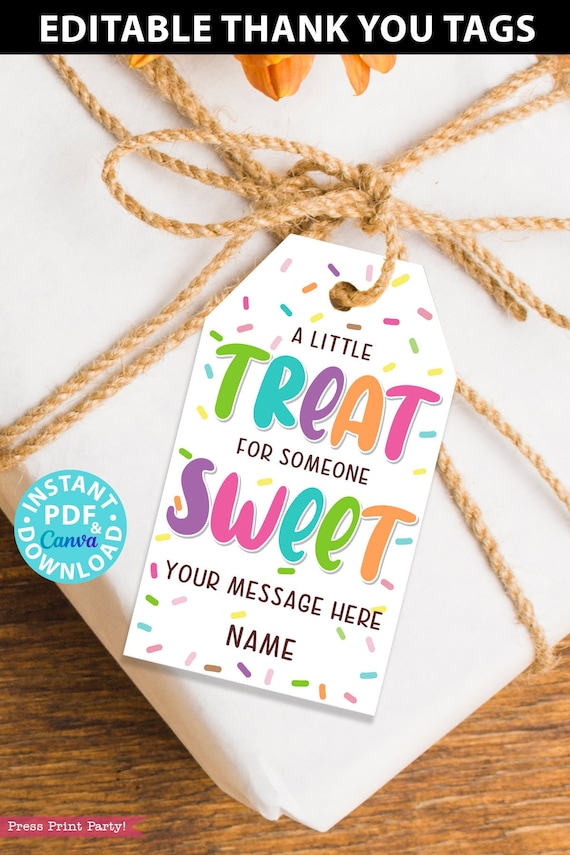
EDITABLE Thank YouTags Printable, A little Treat for Someone Sweet, Employee Appreciation, Teachers, Students, Staff, INSTANT DOWNLOAD

Product Info
Edit and print these cute Thank You tags in minutes for the perfect sweet appreciation gift. Attach to homemade cookies, donuts, or any treat.
Show anyone how much they're valued with an appreciation gift.
Don't worry about what to say on a thank you card! This clever gift tag has a great message and is the perfect pun to attach to any treat: "A little treat for someone sweet".
All the lines except "Treat" and "Sweet" are editable. So you can say things like: "A little treat to make your day sweet." or "It's a great treat to know someone so sweet."
Plus 2 more lines of editable text to write a special message and your name.
See more thank you tags and school printables in my shop here: https://etsy.me/3LGQ1Lr
♥ EDITABLE text- All except Treat and Sweet.
♥ All sheets are 8.5"x11" - Final tag size is 3.75"x2" - 8 tags per sheet
♥ SAVE MONEY: Print as many as you’d like for one low price.
♥ SAVE TIME: Download and print instantly.
INSTANT DOWNLOAD!! CUSTOMIZE NOW WITH THE LATEST FREE VERSION OF ADOBE ACROBAT READER or CANVA.com!! PRINT AT HOME!!
---------------------------------------
FILE INCLUDES
---------------------------------------
► Treat Sweet Sprinkles Tags: "A little treat for someone sweet" 3.75"x2"
---------------------------------------
HOW IT WORKS
---------------------------------------
Just so we’re clear. You won’t receive any physical product in the mail.
1. INSTANTLY DOWNLOAD YOUR FILES
The file is available for immediate download after payment:
https://www.etsy.com/your/orders/YOURORDERNUMBER/downloads
(or find the download button on your Etsy Purchases page).
2. OPEN YOUR FILES IN ADOBE READER or CANVA.com
--> Adobe Acrobat Reader is available for FREE on the Adobe website: http://get.adobe.com/reader/
You can also use the Adobe Acrobat Reader App on your phone.
--> OR you can use the Canva template link to open with Canva.com on your computer or phone app. You will need a free account.
The fonts on the PDF and the Canva template may be slightly different.
3. PERSONALIZE YOUR FILES
With your file open just type over the sample text. Save any changes you make. You can't change the graphics. All text is editable unless otherwise stated at the top of the listing. The font type is only editable in Canva. Please contact me if you need more fields than provided.
4. CHOOSE YOUR PAPER
All of the printables in my shop (unless specifically stated) are meant to be printed on 8 1/2" x 11" or A4 white cardstock (80lb-110lb). You can find white cardstock at any office or big box store (like Walmart).
5. PRINT YOUR FILES
These printables are meant to be printed at home. Any color inkjet printer will give very nice results. Print as many as you’d like.
You are also authorized to print at an office store. Most of my files are multi-page, so if you need all the pages sent to you separately, just message me on Etsy. I'm here to help.
*Unfortunately I DO NOT offer a print and ship service and only supply the digital files.
6. CUT YOUR DESIGNS
Trim/cut out using scissors, craft knife, paper trimmer, or punch. Some designs may need assembling. All my printables come with detailed instructions.
---------------------------------------
FAQs
---------------------------------------
For any more questions, please check out the FAQ section below. I’m also always here to help.
Check out the instruction video for more: https://www.pressprintparty.com/faqs