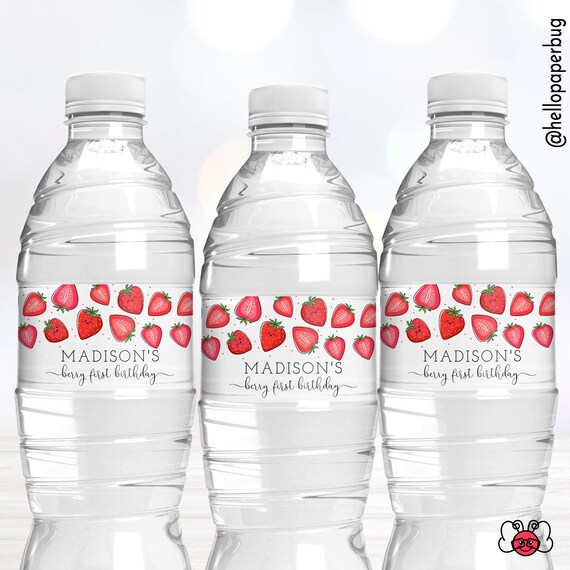
Berry First Water Bottle Label, Cute Strawberry Birthday Party Favors || Instant Access Editable with Jet Template || MADY

Product Info
Cute Berry first water bottle labels to add to your strawberry birthday party! Edit directly in your browser with Jet Template.
● This is a Digital File! No items are shipped!
● You need to print the labels.
❤ TRY BEFORE YOU BUY! FREE DEMO LINK▼
https://www.jettemplate.com/demo/CB7805
MATCHING ITEMS▼
https://www.etsy.com/shop/HelloPaperBug?search_query=MADY
♥ WHAT YOU GET
● 1 Editable water bottle Label Template
Downloads 5 per full sheet page; 8.5"x2" each
➔ JET TEMPLATE
Simply edit using your computer, laptop and phone, no software required!
▶ Mobile: Limited to replacing the text that is already there.
▶ Computer: Edit and format text, add, delete and move text boxes.
● Access link to edit sent to email on Etsy
● You will need to sign up for an account to edit
● Only the wording can be edited
● Instructions to edit and print on Jet template, next to the template
● Access to template for 60 Days.
♥ PRINT YOUR FILES
►Print your files on a regular letter or A4 size sheet and assemble.
♥ For Best Results Print on Glossy White Card Stock , photo paper or Brochure Paper.
►Cut, Fold, Glue, or use double sided tape.
♥ TRIM OUT YOUR LABELS
Follow the trim lines and cut by hand using a scissors or paper cutter.
❗ COPYRIGHT NOTE ❗
This listing is strictly time and creative service to produce this item. Copyright and trademarks of the character/images used belong to their respective owners and are not being sold. This item is not a licensed product and I do not claim ownership over the characters used. You are paying for my time and service to make the products, not the images being provided.
Some chain stores are refusing to print for you due to copyright character. You are responsible for the printing issue.
Please read the description carefully, due to the digital download nature no refund are available after purchase.
➔ JET TEMPLATE PROCESS IN DETAIL
1. PURCHASE
You will receive an e-mail shortly from Jet Template to the e-mail associated with your Etsy account. The message will include a link. After creating a Jet Template account, you’ll be able to access your purchased item. After, you can go directly to Jet Template and when you log in, all purchased templates will be accessible.
2. EDIT and SAVE
Personalize your item, then SAVE. You can save your designs and come back to edit later as many times as you need. Not all editing features of Jet Template software are included on mobile. For advanced editing such as font and font color changes use your computer.
3. DOWNLOAD
To save paper when printing, download as a PDF and turn on the options 'Add Bleed', 'Show Trim Marks' and 'Save Paper'
♥ Follow online for new designs, sneak peaks & more! @hellopaperbug